To search
Softonic Rating:
Good:7/10
License:
Free
Added:
August 26, 2005
Updated:
September 21, 2007
Publisher:
Website
File size:
292 KB
Downloads:
754
Elena Santos

“Check your Gmail messages without opening your browser”

by Elena Santos

Gmail Notifier enables you to check your Gmail account right from the system tray, that is, without having to visit the Gmail webpage. Although this idea seems quite convenient at first sight, the truth is that I found this little app a bit disappointing.

First, you can only check one account, while other similar notifiers such as Gmail Manager have support for multiple Gmail accounts. Also, Gmail Notifier only checks your mailbox when you tell it to do so, as there's no automatic check feature included.

On the upside, the program shows message snippets every time you check email, so you can decide if it's worth opening the browser to read them or not. It can also set Gmail as your default email application to open email links online.

Languages:

English

OS requirements for Gmail Notifier:

  • OS: Win2000/XP
Pros
  • Shows mail snippets
  • Can set Gmail as default email client
Cons
  • Can only check one account
  • No automatic check
Did you like this review?
1 of 4 users liked it (25%)

From the publisher of Gmail Notifier

The Gmail Notifier is a downloadable Windows application that alerts you when you have new Gmail messages. It displays an icon in your system tray to let you know if you have unread Gmail messages, and shows you their subjects, senders and snippets, all without your having to open a web browser. When you install the Notifier, you will be able to automatically check for new messages every two minutes. see a snippet of text from up to 30 unread messages, select a sound to indicate when you have new mail, and make Gmail your default e-mail application.

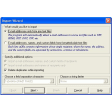
Gmail Notifier options

Gmail Notifier Options

Reviews for Gmail Notifier in other languages

Softonic Rating:Good
9/10

User Rating

13 ratings
Usability
  • Currently 10/10.
Stability
  • Currently 9/10.
Installation
  • Currently 9/10.
Functionality
  • Currently 8/10.
Appearance
  • Currently 8/10.

Download stats

Related

Related searches